How do VPS prices change when you need seven days of backups?
Compare the server charge plus the backup option that actually meets your retention requirement. A backup taken every day but kept for only one day does not provide seven days of recovery history. Check capture frequency, retention, covered storage, and the billing basis before comparing the combined price. The matrix below keeps those requirements separate.
Original requirement matrix
| Candidate | Capture / retention | Daily points across seven days? | Cost input |
|---|---|---|---|
| DO daily percentage option | Daily / 7 days; 7 backups | Documented schedule fits; actual restore untested | D + D × 0.30 |
| DO weekly percentage option | Weekly / 4 weeks; 4 backups | Fails a daily-capture requirement | D + D × 0.20; different scope of time |
| OVH included automatic option | Daily / 24 hours | Fails seven-day history | Included backup; order total unknown here |
| OVH separate automatic option | Daily / 7 rolling days | Documented schedule fits; actual restore untested | D + actual quoted F; obtain order-specific quote |
Coverage of your attached storage and database recovery state must be checked separately for every row. No row is a tested restoration result.
What the official pages say today
On October 6, 2026, the DigitalOcean backup pricing page lists its percentage-based daily option with seven backups, seven-day retention, and a charge of 30% of Droplet cost. Its weekly option lists four backups, four-week retention, and 20%. The OVHcloud US options page describes an included daily backup retained for 24 hours and a separate daily option retained for seven rolling days. Its advertised starting price is not a quote for your selected configuration. Verify your actual order. Both pages are linked below.
Our original requirement matrix
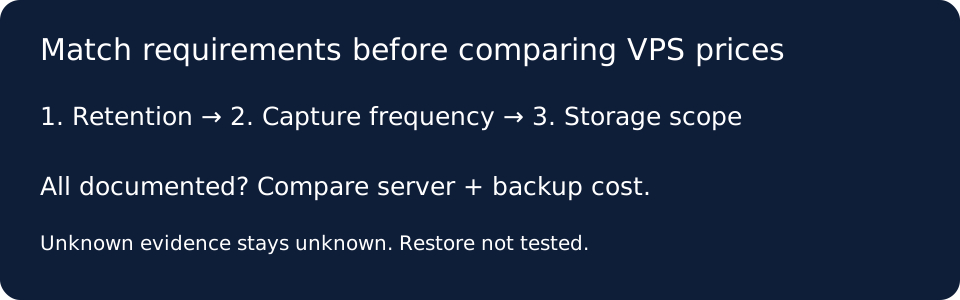
We designed the matrix as a sequence of gates rather than a cheapest-price ranking. First write the oldest recovery point you need. Next write the longest acceptable gap between captures. Then list everything that must be recoverable: the system disk, separately attached volumes, and database state. Finally record the billing basis and the source date. A candidate must pass each gate before its cost is compared. This prevents long retention from concealing infrequent captures, and prevents a low backup charge from concealing storage outside its scope.
Retention and frequency answer different questions
Use the first gate to reject a one-day history when your stated requirement is seven days. Use the second to reject weekly capture if your requirement is a recovery point from every day. Weekly capture with a longer retention period can pass the history gate while failing the daily-capture gate. This is the reasoning implemented in our comparison matrix, not a claim that one schedule is suitable for every workload. Write your own requirement first; changing the requirement after seeing the cheapest result changes the comparison.
Treat missing scope evidence as unknown
Our matrix records storage scope separately from frequency and retention. If the public page does not establish whether an attached volume is covered, mark that cell unknown and obtain the relevant documentation before completing the comparison. Do not convert unknown into included. A database that can be copied is not automatically proven to be recoverable to your required state. This article has not bought a server, created a backup, or tested a restore. The matrix is an original documentation check; it is not experimental proof of recovery reliability.
Calculate only after the requirements match
For a documented percentage-based option, let D be the applicable server cost for the billing period and p the published backup fraction. Backup charge B equals D multiplied by p, and the combined server-and-backup amount equals D plus B. Record what the provider means by the applicable cost before choosing D. Keep taxes, required storage charges, and unrelated extras in separate fields until their treatment is established. For a separately quoted fixed backup charge F, the corresponding arithmetic is D plus F. Neither formula supplies missing order-specific inputs.
A reproducible calculation check
We tested the arithmetic with deliberately fictional inputs. With a server cost of 10 test units and a backup fraction of 0.30, the backup charge is 3 and the combined amount is 13. With the same fictional server cost and a separately quoted backup charge of 2 test units, the combined amount is 12. These are software fixtures, not provider prices or observed invoices. The lower fixture total does not select a winner: its retention, frequency, and scope still need to pass the same gates. Our test also rejects a missing cost rather than turning it into zero.
Does seven-day retention mean seven daily recovery points?
Not by itself. In our matrix, the retention cell records how far back the history extends, while the frequency cell records how often points are created. Fill both from the documented option and keep unknown entries visible. The DigitalOcean daily percentage-based row explicitly lists both seven backups and seven-day retention; that statement applies to that row, not every backup product. A generic retention label is insufficient evidence for the number or timing of recovery points.
What should I keep before buying?
Keep the selected server configuration, backup option name, source URL, observation date, billing period, currency, tax treatment, and each requirement decision together. Recheck them at checkout. If the option fails a gate, record the failure instead of comparing its price as an equivalent service. If it passes the documentation gates, a separate restoration exercise would still be needed to establish whether your own application can recover as required. We have not performed that exercise, so this page leaves that result unknown.
Official sources and evidence limits
Retrieved October 6, 2026. The observations above summarize only the specified options. No purchased server or restore test.